Vanilla & Backpack (OCA) Padlet Accounts
Please note that throughout the Padlet Support & Guidance activity, there will be references to "Vanilla" and "Backpack" Padlet accounts; these are described and function as follows;
Vanilla
A “Vanilla” Padlet account is a basic and free Padlet account type (padlet.com) and is intended for external or public use, and is therefore unsuitable for use within nor managed by OCA.
Identifying a Vanilla Padlet Account
Web Browser
A “Vanilla” Padlet and/or Padlet account can be identified within a web browser via the “padlet.com” URL, as demonstrated in the screenshot below - note that there is no /oca after the padlet.com (padlet.com/oca).
Mobile & Tablet App
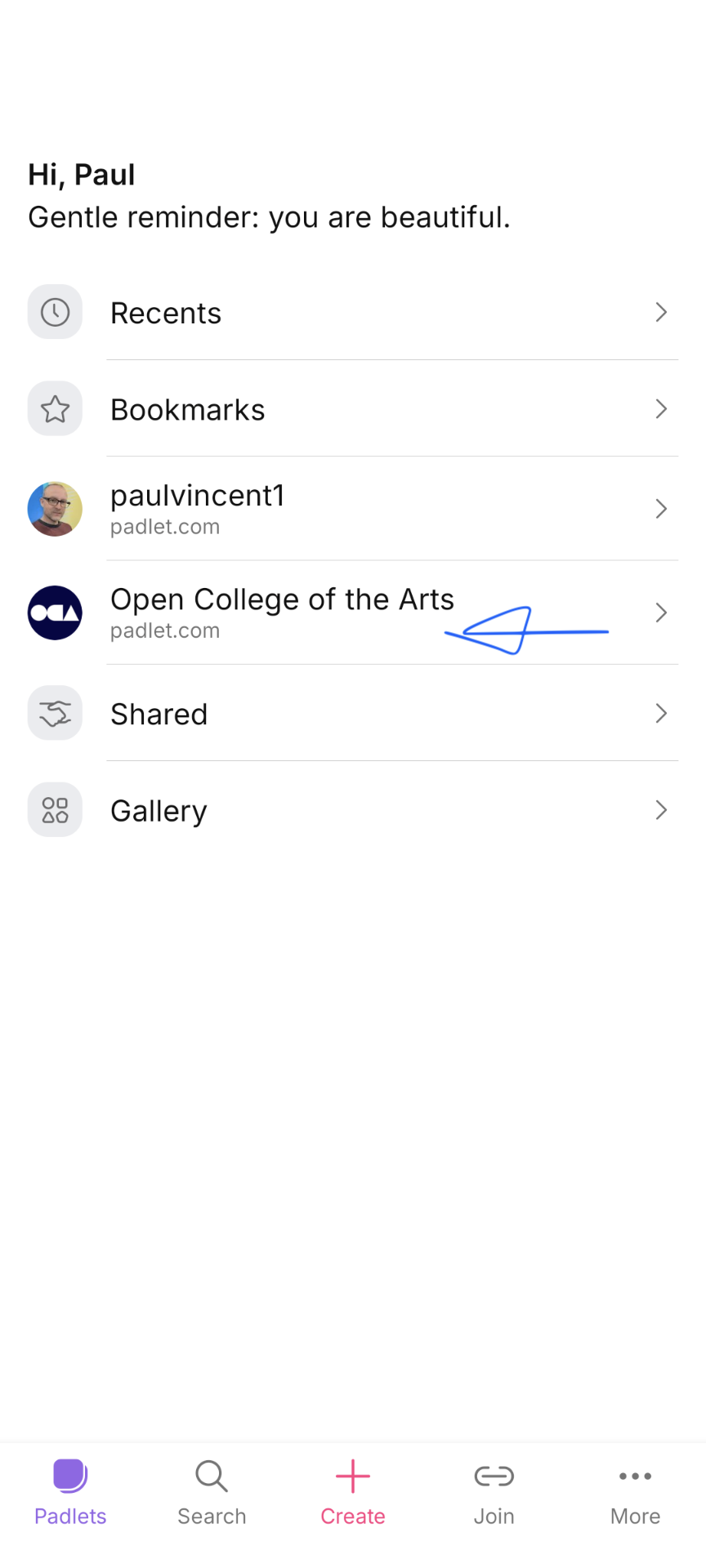
If you already have a Padlet.com account before joining OCA, when you log in you will be able to switch between accounts in the 'Accounts' section of the Padlets app. Ensure you use the Open College of the Arts account for your OCA studies (as depicted in the screenshot below).
Mobile & Tablet App
Users of the Padlet app will need to select the ‘Backpack or Briefcase User’ option, as explained in the Access and Signing In sub-chapter, prior to signing in using their OCA email address and password.
Summary
In summary, a “Vanilla” account type is to be used by a member of the public, while OCA students should be using their OCA “Backpack” account.
As a student with an OCA email address, it is possible to create an account using both account types, and students should therefore follow the applicable guidance provided when signing into Padlet and ensure to use a "Backpack" account type.